The Thumb Test: Inside the Obsessive Science of Designing Mobile Arcade Games for One Hand
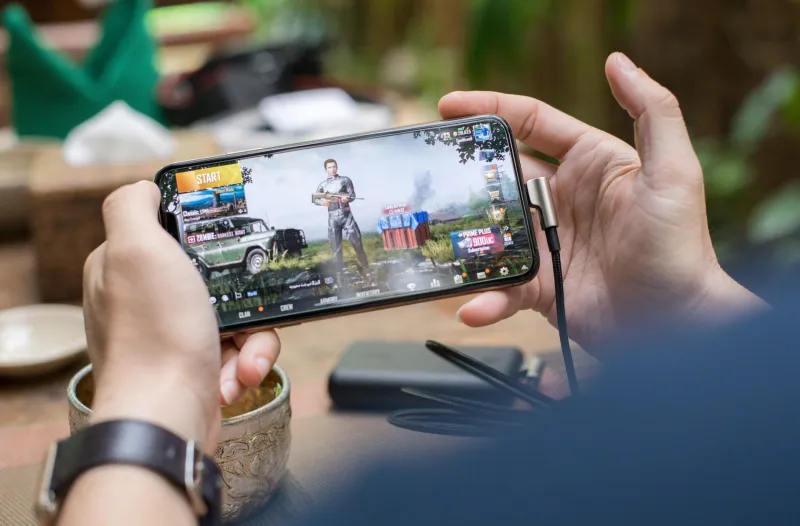
Hold up your right hand. Bend your thumb toward your palm. Now imagine that single digit is the only tool a player has to dodge obstacles, collect coins, trigger power-ups, and survive wave after wave of increasingly chaotic enemies — all while standing in line at a Starbucks.
That's the design brief for every mobile arcade game that actually works. It sounds absurdly constrained. And it is. That constraint is also, according to the developers who've spent years wrestling with it, the most creatively demanding challenge in gaming right now.
"Console designers have two thumbsticks, eight face buttons, two triggers, two bumpers, and a D-pad," says Jordan Reyes, an indie developer based in Portland who shipped a one-handed arcade game that hit over two million downloads earlier this year. "I have a rectangle of glass and someone's dominant thumb. That's it. So every single mechanic has to earn its place."
Why Most Mobile Ports Feel Wrong (And What's Actually Broken)
If you've ever played a console arcade game that got ported to mobile, you've felt it — that slightly-off sensation where nothing quite responds the way your brain expects. It's not your imagination. Most ports are broken in a very specific, very fixable way.
The problem usually comes down to three things: button placement, input timing windows, and what designers call "thumb travel distance."
On a physical controller, your thumbs rest naturally over the buttons. Muscle memory takes over. On a phone, there are no physical anchors. Your thumb has to reach across the screen — sometimes several inches — to hit a control element that was designed for a different form factor entirely. By the time you get there, you've already died.
"The moment your thumb leaves its resting position by more than about an inch, you've lost the player," says Reyes. "Not forever — but for that moment. And in an arcade game, a moment is everything."
Input timing is the other killer. Console arcade games are calibrated for controller input, which has near-zero latency and physical tactile feedback. Touchscreens introduce a small but meaningful delay, and they offer zero physical confirmation that you actually pressed anything. Developers who don't account for this end up with games that feel sluggish, even when they're technically running at 60 frames per second.
The Physics of the Perfect Tap
Building a game around a single tap sounds simple. It's not.
The tap has to do something immediately visible and satisfying — otherwise the player doesn't trust the input. It has to trigger an action with a clear cause-and-effect relationship that the player can internalize in their first thirty seconds. And it has to scale in complexity without ever requiring the player to do anything that breaks the one-thumb contract.
"We call it the tap ladder," explains Sasha Okonkwo, a game designer at a small studio in Atlanta. "Your first tap is dead simple — jump, maybe. Then the game starts layering in timing. A short tap does one thing, a long press does another. Double-tap unlocks something later. But you never tell the player any of this upfront. You let them discover it through play."
This approach — gradually revealing input complexity without ever breaking the one-handed constraint — is the hallmark of mobile arcade games that get genuinely good reviews. Players feel clever for figuring it out. They feel in control. Both of those feelings are manufactured by design, and both of them are why people come back.
Screen Real Estate Is a Battleground
Here's something players rarely think about but developers obsess over: where things live on the screen determines whether a game is playable or not.
The bottom third of a phone screen, centered on either side, is prime real estate. That's where thumbs naturally rest when you're holding a phone in one hand. Anything interactive that lives outside that zone requires the player to shift their grip — which introduces instability, which introduces missed inputs, which introduces frustration.
"I spent two weeks just moving a single button three millimeters at a time and playtesting after every change," Reyes says. "Three millimeters. That's how precise this stuff is."
Visual feedback placement matters just as much. Score counters, health bars, and combo multipliers need to be readable without requiring the player to move their eyes far from the action zone. If a player has to glance to the top corner of the screen to check their score during active play, they'll miss something. They'll die. They'll blame the game, not their eye movement.
The Gyroscope Trap and Other Design Pitfalls
Every few years, someone rediscovers that phones have gyroscopes and decides that tilting the device is a brilliant control mechanic. It is not. Not for arcade games.
Tilting requires two hands for stability, kills one-handed play entirely, and — crucially — makes you look like you're having a small seizure on the subway. Players hate it. It gets removed in the first major update almost every time.
Similarly, virtual joysticks (the floating thumbstick overlays that try to replicate console controls on a touchscreen) poll well in focus groups and fail in practice. They require visual attention to stay on target, they offer no tactile feedback, and they fatigue the thumb faster than tap-based controls.
"The designers who crack mobile arcade aren't the ones who try to bring console controls to the phone," Okonkwo says. "They're the ones who forget console controls exist and ask: what does this device do naturally? Then they build the game around that answer."
The answer, almost always, is the tap. One thumb. One rectangle of glass. And somehow, in the hands of the right designer, that's enough to build something genuinely brilliant.